 Route Rebel
Out Route the Nav.
Route Rebel records every drive hands-free, snapshots what Apple and Google planned the moment you left, and keeps score.
You drive. It keeps the receipts.
Map it
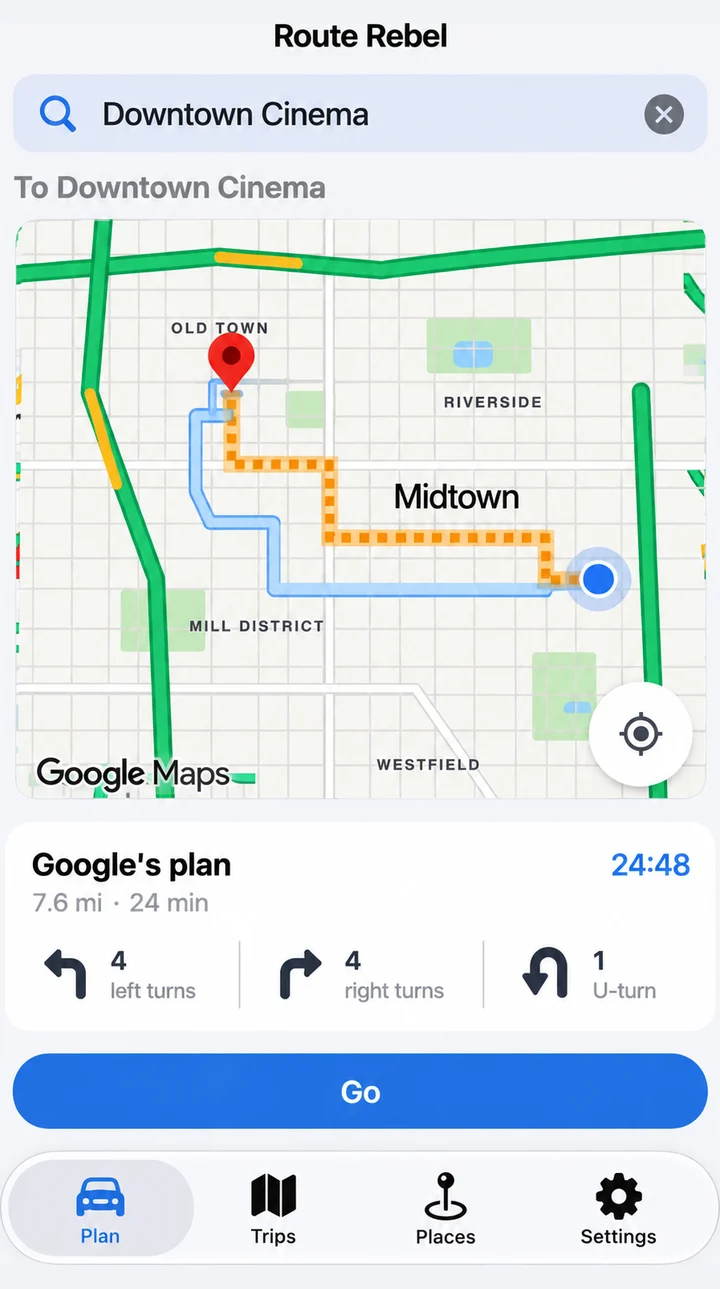
Pick your destination and go. Reference Google Maps™ or Apple Maps™ and even push your map to Apple CarPlay™.
Record it
The route you actually took, plus a snapshot of Apple’s and Google’s planned route and traffic-aware ETA at the moment you left.
Compare it
Did your shortcut beat the plan? By how much? At which hour, on which day? Your history turns into answers.
A scoreboard for your commute.
How do you route vs Google and Apple Maps?
Auto-record
Every drive, hands-free. Start, stop, route and timing captured without touching the phone. Pause for coffee and the clock stops.
Apple vs. Google vs. you
Both plans and both ETAs frozen at departure. Your actual time next to them, per trip.
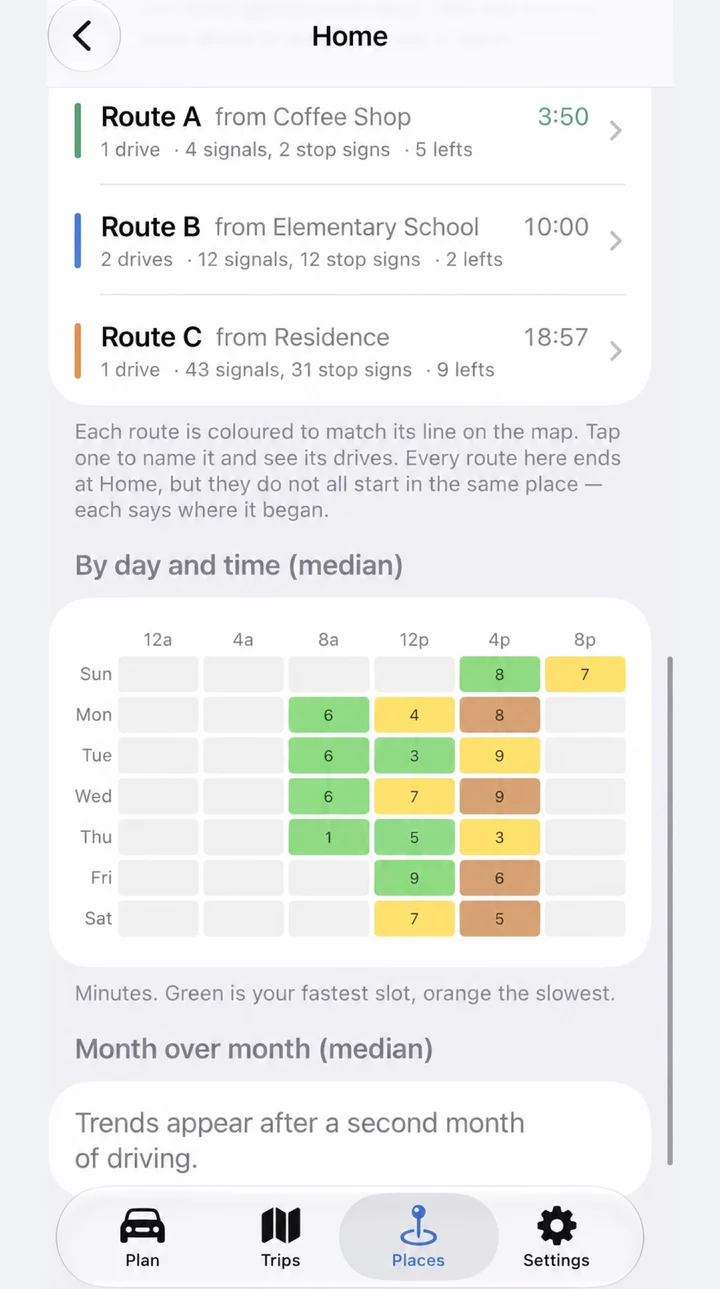
Stops, signals and turns counted
Every stop sign, traffic light and turn on each route. Left turns tallied separately, because in America they cost time.
Your own routes, at the wheel
After a few drives, your way to a place shows up beside the nav’s plan, with how long it usually takes you and whether it’s fastest right now.
ProRoute race
Two ways to the same place? Compare them against each other on your own history and settle it.
ProBest-hours heatmap
Day × hour, per destination. See exactly when your route wins and when the nav has a point.
ProGuides the drive, or hands it off
Pro speaks turn-by-turn from the plan you left with, through your car’s speakers. Prefer the car screen? Go hands the destination to Google Maps or Apple Maps.
Your drives never leave your devices.
No accounts. No servers of ours. No analytics SDKs. Your history lives on your iPhone and in your private iCloud, readable only by you.
- Your drives live in two places, both yours: your iPhone and your private iCloud. Swipe a drive away to delete it, or delete the app and its iCloud data from iOS Settings, and they are gone.
- What leaves the phone is only what a feature needs: a route request to the map providers when you depart, an intersection lookup to OpenStreetMap to count stops and signals, and Google’s map tiles if you pick Google as your map. No name, no email, no identifier.
- We cannot see your data. Not “we don’t.” Cannot. No accounts, no servers of ours, no analytics.
- Read the full privacy policy
Free to start. Pro to settle it.
Every drive is recorded on Free. Pro turns the history into the full scoreboard.
- Record every drive, hands-free
- Last 30 days of history
- Two analyzed destinations
- Apple comparison, you vs. the plan per trip
- Plan preview with turn counts
- Google on the scoreboard too
- All history, every destination
- Heatmap, trends and route race
- Every stop and turn on every drive
- Your own routes, with the fastest-right-now call
- Turn-by-turn, ghost race and reroute
7-day free trial. Family Sharing included.
Compare plansSettled arguments.
At last the debate is settled, my route home is faster than my husband’s.
— Andrea C.I always knew Google Maps was taking me on a slower route… now I have the proof.
— Gabrielle A.Route Rebel shows me how long my drive to work actually takes at different times of the day and week.
— Laura C.
You’re the driver.
Route Rebel, Google Maps and Apple Maps give directions. None of them tells you to drive unsafely, illegally or aggressively, and none of them can drive for you.
Every number on the scoreboard is a record of how long a past drive took. It is not an invitation to make up time. Obey every sign, signal and speed limit, keep your eyes on the road and your hands off the phone while the car is moving, and set up a drive only when you are safely stopped.
Whatever route you take, yours or the nav’s, being a good and safe driver is your responsibility. Terms of Use.
Questions.
Does it work with CarPlay?
Does it need Google Maps installed?
Is my location data sold?
What if I forget to start it?
Your commute has a leaderboard now.
Download on theApp StoreFree to start. Pro from $3.99/month with a 7-day free trial.